Candy Race Launcher
- 4.6
- Rating
- 10.00M
- Installs
- Free
- Price
 Analysis by App-foxy
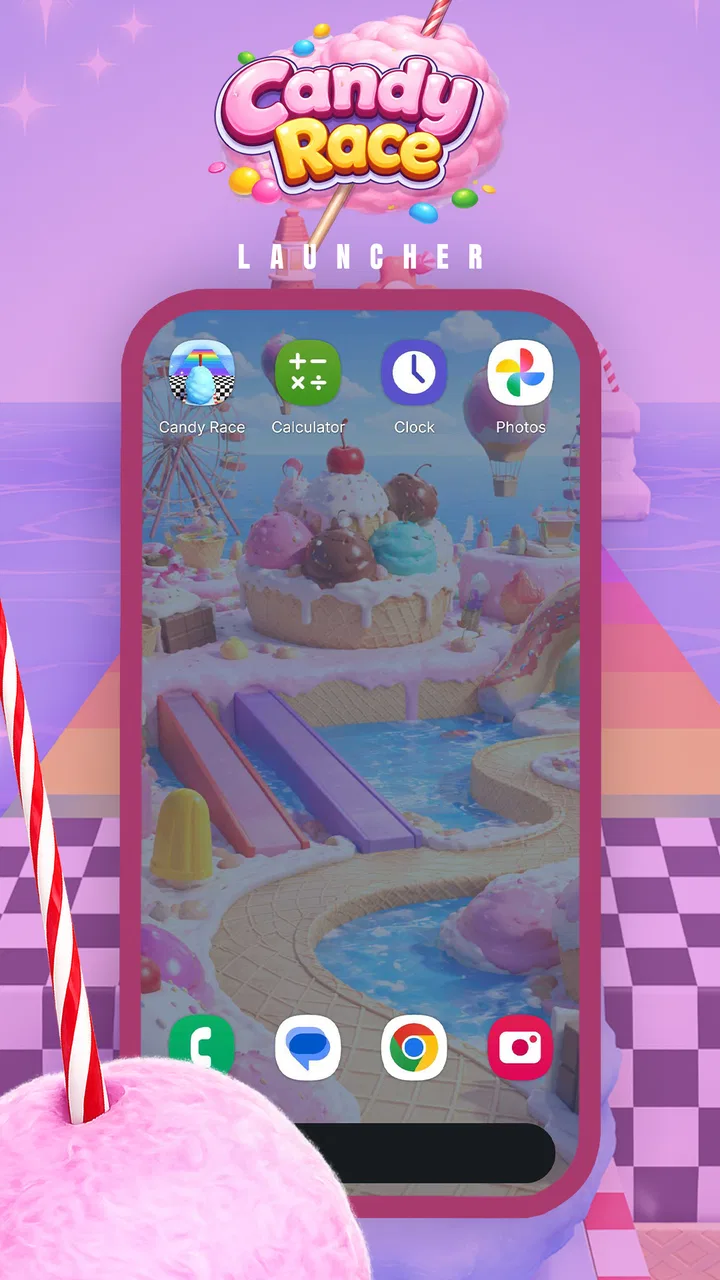
Some personalization apps win you over in a few seconds and then quietly disappear from your routine. Candy Race Launcher made a better first impression on me because it treats the phone’s visual identity as something playful rather than purely practical. Its candy-race theme gives the interface a bright, energetic mood, and that makes ordinary moments such as unlocking the phone or moving between apps feel less dull.
That immediate charm is also the central question: does the sweetness remain enjoyable after the novelty wears off? I spent time looking at it from that angle rather than judging it only as a colorful download. It is a free personalization app from Gamnest, aimed at an Everyone audience, and it runs on devices using Android 8.0 or later. The important thing for me is not simply whether it looks cheerful, but whether the visual change is comfortable enough to live with every day.
From a fun first impression to a daily habit
The first use is easy to understand. You are not installing a productivity tool or a demanding game; you are changing the feel of your Android experience. The candy-race presentation gives the home screen a more expressive personality, which can be especially appealing if the standard launcher feels flat or if you like matching your phone to your current mood.
You May Also Like

 Blood Strike: 2.5 Anniversary
Blood Strike’s Loadouts Turn Every Drop Into a Tactical Gamble
A close look at Blood Strike’s custom loadouts: how fast access to signature weapons reshapes its battle royale rhythm, rewards preparation, and narrows the gap between fights.

 Pandora - Music & Podcasts
Pandora’s Music Is Easy to Start, but Harder to Recover
Pandora’s strength is its low-effort path from a seed to a station. Its weak spot is how much confidence it asks you to place in connection, setup, and quiet recovery.

 8 Ball Pool
 Is Built on Rivalries, Rematches, and Routine
A close look at the rivalries, rematches, shared routines, and unanswered safety questions that turn a quick pool match into a persistent mobile community.

 Samsung Music
’s Quiet Strength Is Playing What You Already Own
Its reach comes less from spectacle than from dependable access to a personal library. That simplicity is both the app’s strongest retention engine and its ceiling.

 AccuWeather: Weather Radar
AccuWeather Review: A Quick, Clear Forecast for Everyday Decisions
For everyday plans, the best forecast is the one you can understand quickly. AccuWeather makes rain timing, radar, and local conditions easy to act on, with a few trade-offs.

 Hill Climb Racing
Why Hill Climb Racing Still Turns Crashes Into One More Run
A tiny car, a bumpy hill and one more upgrade: Hill Climb Racing keeps resurfacing because its simple chaos makes every near-miss feel personal.
More From Our News Desk
View All News


I found the strongest appeal in short, repeated interactions. A launcher is seen many times during the day, so even a small visual shift can have more impact than a wallpaper that is noticed only occasionally. Candy Race works best for someone who wants that repeated spark without turning the phone into a complicated project.
The theme is also a natural fit for younger users and families who prefer friendly, non-serious visuals. The Everyone age classification supports that broad approach. At the same time, I would not confuse a cheerful appearance with a complete replacement for a highly configurable launcher. People who enjoy tuning every spacing, gesture, folder behavior, and icon detail may quickly want controls that are more utilitarian than candy-themed.
One useful way to test it is to use the launcher during a normal weekday rather than judging it during the first excited session. Check the home screen when you are rushing, opening a work app, searching for a setting, or switching between several tasks. A theme can look excellent in a calm moment but become tiring if it makes familiar actions feel less direct. That practical test tells you more than the initial visual reaction.
In my experience, the app’s strongest first-week use case is a phone refresh. If you have had the same layout for a long time, the candy-race style can make the device feel new without requiring a new handset. It is also a reasonable choice for a child’s or teenager’s personal device when a playful identity matters more than a restrained professional appearance.
There is a trade-off, though. A launcher is part of the phone’s basic navigation, so the visual theme must remain readable in bright rooms, at night, and when you are distracted. Very lively personalization can compete with the icons and labels you actually need. I recommend giving the design a few days before deciding whether it is genuinely comfortable, especially if you normally prefer minimalist screens.
What makes the first week enjoyable
The best part of the early experience is the sense of a complete mood rather than a single decorative image. A candy-race idea feels more deliberate than simply placing a colorful picture behind ordinary icons. That coherence is what gives the app its personality and makes it suitable for someone who wants a themed phone instead of a random collection of visual changes.
A practical tip is to keep the first arrangement simple. Do not immediately fill every available space with shortcuts just because the new look encourages experimentation. Put the apps you reach for most often where your thumb naturally lands, then leave some breathing room around them. This helps you judge the launcher’s everyday usability instead of confusing a crowded layout with a weakness in the theme.
Another useful test is to place essential apps beside less important ones and notice whether the candy styling affects recognition. If you identify an app by position and shape more than by its label, a strong theme may change that habit. I would spend the first week learning the layout deliberately, because that makes the later decision fairer: you are evaluating the launcher after adaptation, not while still searching for everything.
The app has attracted a 4.7 average from around 1.7 thousand ratings, with more than 500 thousand installs. Those figures suggest that the bright concept connects with a substantial audience, but they do not remove the personal nature of launcher choice. A high average cannot tell me whether the visual tone will suit someone who spends all day in a business setting or someone who wants a quiet home screen.
Where the value either grows or fades
After the first month, personalization apps face a tougher test. The surprise has gone, and the question becomes whether the theme still improves the small moments that repeat every day. Candy Race has lasting value when you enjoy a playful atmosphere and want your phone to feel distinct each time you return to it.
It is less compelling if you change themes frequently or regard the launcher as a temporary experiment. In that case, the app may be fun for a short period but not earn permanent space. That is not necessarily a failure; personalization is often seasonal. A candy-inspired look can suit a particular mood, a shared family device, or a break from a serious work setup, even if you later return to a neutral design.
I would judge month-to-month value by three questions. Can I find my important apps without hesitation? Does the appearance remain pleasant when I see it dozens of times? Does the launcher make the phone feel more like mine rather than merely different? If the answer to all three stays positive, the theme has moved beyond novelty.
For me, the recurring value comes from emotional consistency. Many people spend enough time with their phones that a small, friendly visual cue can make routine use feel less mechanical. That benefit is subjective, but it is real for users who care about atmosphere. It should not be oversold as a productivity gain, because a sweeter interface does not automatically make tasks faster.
There is also a useful seasonal workflow. I could use the theme during a period when I want a more playful screen, keep the home layout organized around stable essentials, and later change the visual direction without rebuilding my entire phone from scratch. The key is separating the arrangement of important apps from the decoration. That reduces the cost of switching and prevents one theme from controlling your whole phone routine.
People who prefer a launcher mainly for speed may be happier with a plain, performance-focused alternative. A conventional launcher usually makes its priorities obvious: quick access, restrained visuals, and familiar navigation. Candy Race is the better choice when personality is part of the goal. It is not the better choice simply because it is colorful.
The quiet maintenance that decides whether it stays
Every launcher creates a small maintenance burden, even when installation itself is straightforward. You need to notice whether your app arrangement remains useful, whether important shortcuts are easy to reach, and whether the theme continues to look good as your habits change. Candy Race is most manageable when you treat it as a light layer over an organized phone rather than as a reason to redesign everything repeatedly.
My advice is to make one deliberate setup and then stop adjusting it for a while. Put communication, work, entertainment, and frequently used tools in predictable places. Avoid changing positions just to make the screen look more decorative. A stable layout lets the visual theme provide the personality while your muscle memory handles navigation.
It is also worth checking the launcher after installing new apps. A growing app collection can make any themed home screen feel untidy, and that clutter may be blamed on the design. I prefer keeping the main screen reserved for daily tools and placing occasional apps elsewhere in the phone’s normal organization. This preserves the candy-race effect without turning the first screen into a display cabinet.
The current release is version 1.0.1, so I would approach it as a relatively early product and pay attention to how it fits your particular device over time. That is not a reason to avoid it, but it is a reason to keep expectations sensible. Early personalization apps can be enjoyable while still needing refinement in the details that become visible only through long use.
Maintenance also includes knowing when the theme is no longer helping. If you regularly pause to interpret the screen, feel distracted by its intensity, or keep changing the arrangement in search of comfort, the launcher is asking too much from you. A good personalization layer should be easy to live with. It should not become another task on the phone.
Why the sweetness may become tiring
The biggest possible source of fatigue is visual repetition. A candy-race concept is intentionally distinctive, and that is its strength during the first days. After repeated exposure, the same energetic tone may feel excessive to someone who prefers subdued colors or uses the phone in formal environments.
Another source of friction is context switching. A playful home screen can feel pleasant at home but less suitable when the phone is used for work, study, or appointments. If your device serves several identities, a neutral launcher may adapt more easily. Candy Race is better for users who are comfortable with one clear personality across those situations.
There is also the risk of confusing decoration with customization depth. A themed launcher can make a phone look transformed while leaving advanced users wanting more control. If your priority is precise behavior rather than a strong visual mood, compare the experience with a standard launcher before committing. You may discover that the usual alternative is less exciting but more efficient for your routine.
For families, the broad age rating is reassuring in terms of the intended tone, but adults should still decide whether the look matches the device’s purpose. A child may enjoy the theme for a long time, while a parent using the same phone for banking, school communication, and work might prefer a calmer setup. The right answer depends less on age than on the role the device plays.
One non-obvious trade-off is recognition versus freshness. A new theme can make the phone feel refreshed, but every visual change temporarily weakens the automatic recognition built around the old layout. I recommend changing one thing at a time and keeping app positions stable. That preserves the benefit of a new atmosphere without sacrificing the speed that comes from habit.
Who should install it, and who should pass
I would recommend Candy Race to someone who wants a free, friendly visual refresh and enjoys a phone that feels expressive. It is particularly suitable for casual personalization, family devices, younger users, and anyone bored with a standard Android appearance. The fact that it supports Android 8.0 and later also makes it relevant to people using older compatible phones rather than only recent hardware.
I would be more cautious if you need a professional-looking interface, dislike bright themes, or expect extensive launcher controls. Users who organize their entire day through a carefully tuned home screen may value predictability over charm. In that situation, a conventional launcher can be the better long-term tool, even if it looks less memorable.
Another group that may want to skip it is anyone who changes launchers whenever the first impression fades. The app can still be worth trying, but it should be viewed as a mood-based customization rather than a permanent commitment. Its free price makes experimentation easy, yet free does not mean frictionless: your time spent rearranging the phone is still part of the cost.
Before installing, I would make a mental note of the current positions of your essential apps and decide what you want from the change. Are you seeking a cheerful atmosphere, a new identity for a shared device, or simply a break from a stale layout? A clear goal makes it easier to tell whether the app is delivering value after the excitement settles.
My long-term verdict
Candy Race Launcher earns lasting space when its playful look matches the owner’s daily mood and the setup remains disciplined. I like it as a focused personalization choice, not as a universal answer to every launcher need. Its candy-race identity is memorable, approachable, and easy to appreciate during a phone refresh, while the free model lowers the barrier to trying it.
My final recommendation is to give it a proper trial through ordinary routines: morning notifications, quick app launches, work or study sessions, and relaxed evening use. Keep the layout simple, protect the positions of essential apps, and watch for visual fatigue rather than deciding from the first glance. If the theme still feels pleasant after that test, it has genuine recurring value for you.
If the novelty fades quickly, that outcome is useful information rather than wasted effort. You may need a quieter launcher, deeper controls, or a more functional home screen. But for readers who want their Android phone to feel brighter and more personal, this app from Gamnest is an enjoyable option to consider, with enough character to remain relevant beyond the initial installation when its style genuinely fits.
FAQs for Candy Race Launcher
01What is Candy Race Launcher, and how does it enhance my device experience?
Candy Race Launcher is a vibrant and interactive launcher app designed to transform the look and feel of your Android device. It offers a playful, candy-themed interface with customizable widgets, icons, and wallpapers. This launcher enhances user experience by providing a unique and fun way to personalize your phone, making navigation more engaging.
02Is Candy Race Launcher compatible with all Android devices?
Candy Race Launcher is compatible with most Android devices running Android 5.0 and above. However, performance may vary depending on your device's specifications. It’s recommended to have at least 2GB of RAM for optimal performance, ensuring smooth transitions and sufficient resources for all features to function properly.
03Does Candy Race Launcher affect battery life or device performance?
While Candy Race Launcher is optimized for efficiency, using animated themes and widgets can slightly impact battery life and device performance. Users with older devices or limited resources might notice minor slowdowns. To mitigate this, users can adjust settings to reduce animations and disable unnecessary features.
04Are there in-app purchases or ads in Candy Race Launcher?
Candy Race Launcher offers a free version that includes ads and basic features. For an ad-free experience and access to premium themes and widgets, users can opt for in-app purchases. This allows users to customize their experience according to their preferences, providing flexibility in how they use the app.
05How can I customize my home screen with Candy Race Launcher?
Customizing your home screen with Candy Race Launcher is simple and intuitive. Users can choose from a wide range of candy-themed icons, wallpapers, and widgets. By tapping and holding on the home screen, you can access the customization menu, where you can select and apply different elements to create a personalized interface.
Pros
- Engaging graphics and animations.
- Simple and intuitive controls.
- Regular updates with new levels.
- Multiplayer mode for added fun.
- Light on device resources.
Cons
- In-app purchases can be pricey.
- Ads can be intrusive at times.
- Limited offline functionality.
- Requires constant internet connection.
- Occasional lag on older devices.

Candy Race Launcher
Gallery